Without Cavatim
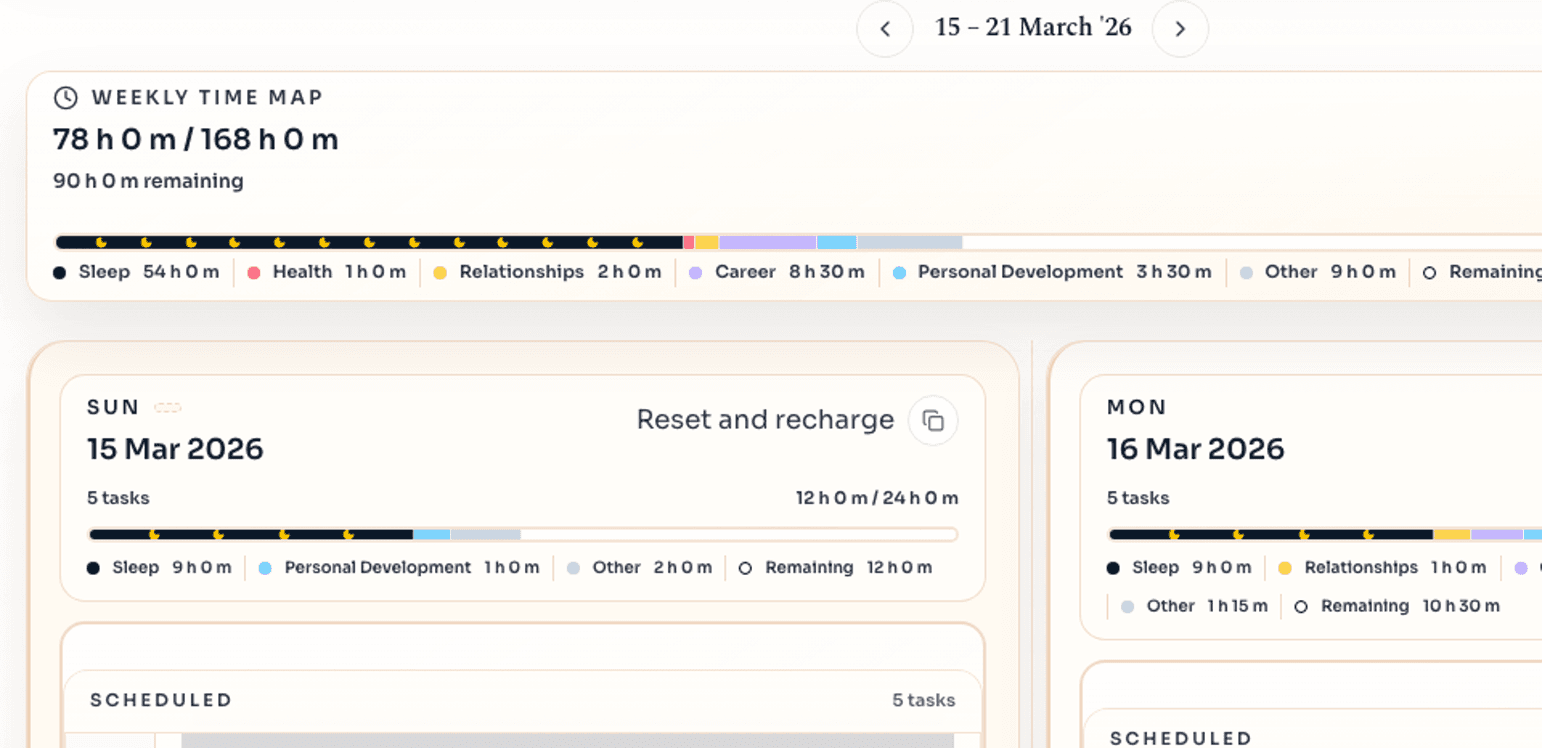
You say yes before you can see the full week.
- Meetings, tasks, and priorities live in different places.
- You only spot the overload when the week is already too full.
See your meetings, tasks, and free space together before you overload the week.
Pull in your Outlook and Google calendars, see meetings, work, and free space together before you say yes to more, then keep the rest of the week intact when the day changes.
Without Cavatim
With Cavatim
Start with the life you want, choose the goals that support it, set the checkpoints, then let the planner pull the right work into the year, quarter, month, week, and day before analytics show what really moved.
Lifetime vision
Start with a clear picture of the life you want so every goal and milestone has something real to serve.
Begin with the bigger picture
Templates, repeat work, calendars, habits, prioritisation, and quick capture stay right beside the planner so the bigger plan survives real life.
Templates
Use templates to answer the prompts, sketch milestones, and get the first version in place quickly.
Recurring tasks
Bills, cleaning, admin, and other repeat work stay in the same system until you place them.
Calendar sync
Bring in Google and Outlook calendars so meetings, appointments, and free space shape the week from the start.
Habits
Habits stay attached to the bigger plan, so they are harder to quietly drop when life gets busy.
Prioritisation matrix
Use the matrix to see what deserves protected time first and what can stop crowding the plan.
Planner notepad
Drop tasks, reminders, and ideas into one place until you are ready to place them properly.
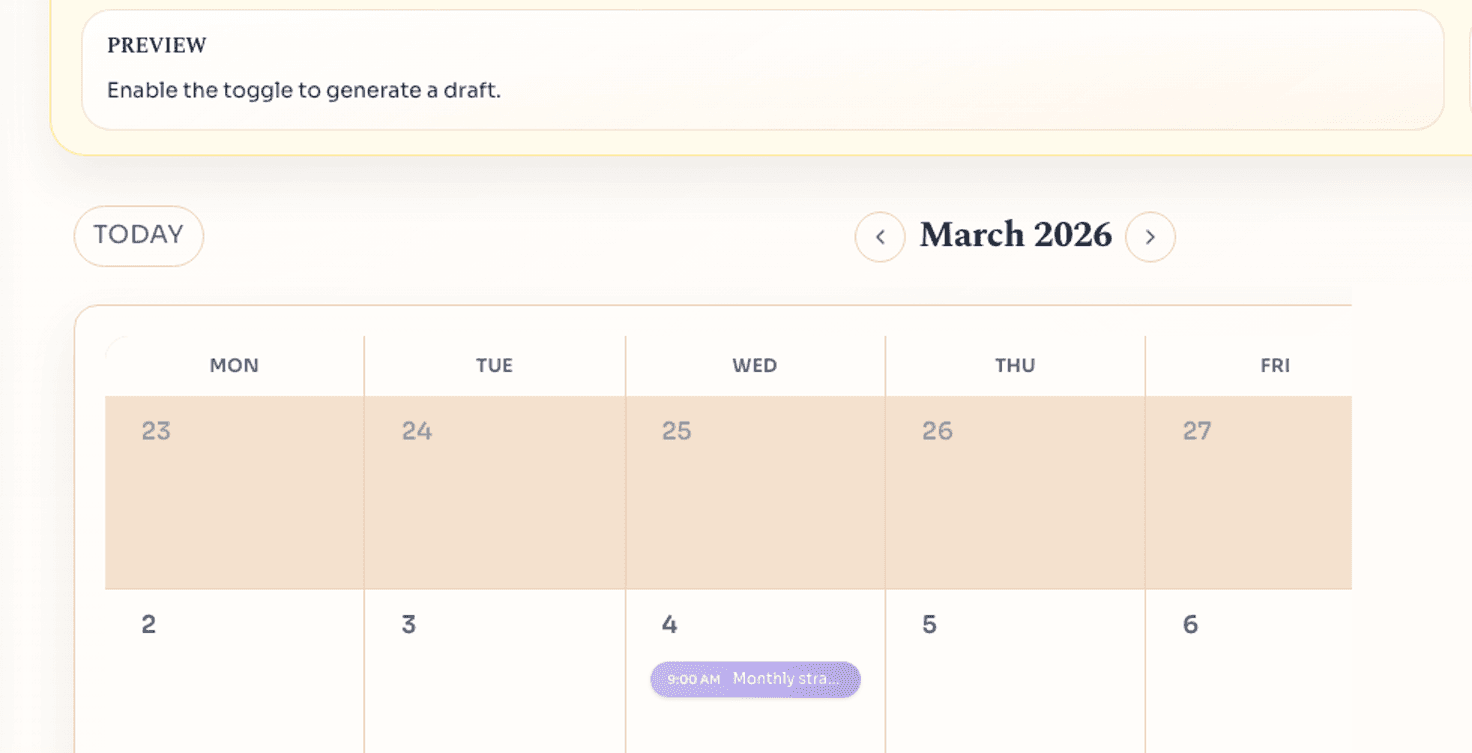
Three quick views to check whether the week still works.
Month context
Shape this week without losing sight of the month around it.
Month + week together
When the day changes, say what you need in plain language. ChatGPT works from the plan already on screen, Cavatim updates the schedule instead of making you drag it around by hand, and the planner learns the moves you usually make so it gets faster over time.
* ChatGPT planning is in developer mode right now while the app is still being developed.
What changes
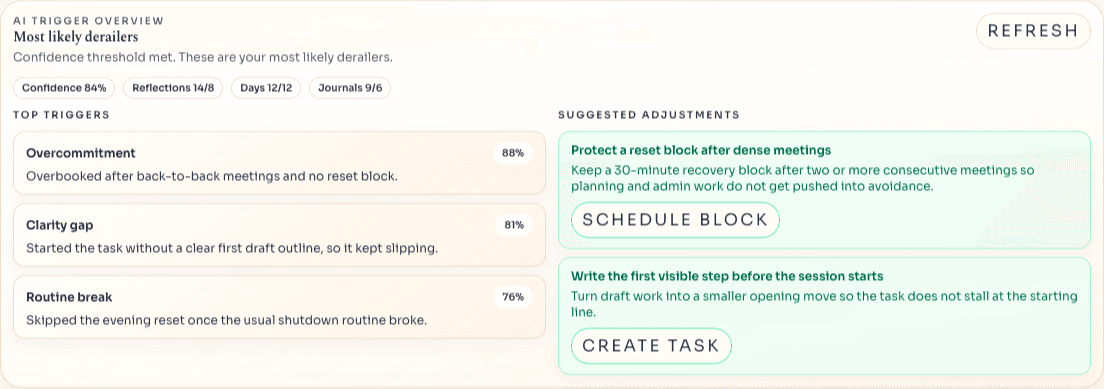
At the end of the day you explain what slipped, keep the lesson, and let the AI coach turn the week into patterns you can act on next time. Trophies keep the wins visible, but the real point is learning what to change before the next week fills up.
Reflection Center
Missed work lands in the reflection queue. You capture what got in the way, choose the adjustment, and turn the next action straight back into the plan.
AI coach
The AI coach reads the reasons and journal themes from your reflections, spots repeated triggers, and turns the week into the next changes worth making.
Streaks
21
longest streak
Current: 9 days
5/11 trophies
Next: 30 days.
1 day
3 days
1 week
Goals
12
goals finished
Annual + milestone wins
4/8 trophies
Next: 25 goals.
1 goal
3 goals
5 goals
Lifetime
2
goals completed
Big wins visible
2/5 trophies
Next: 3 lifetime.
1 goal
2 goals
Trophy cabinet
Daily streaks, completed goals, and bigger milestones stay visible in one place so progress feels worth protecting.
Free covers your week, day, calendars, analytics, and backups. Pro adds longer-term planning, repeat work, weekly reflections and journalling that feed an AI coach, and voice scheduling. The same subscription works across mobile, tablet, and desktop, with a 14-day free trial on monthly or yearly.
Free
£0
Week-to-week planning
Plan your week and day in one place, with calendars, analytics, and backups included from the start.
No card needed
Start free right away and keep your plan backed up.
Pro
$99.99
/ year
Add longer-term planning, repeat work, voice scheduling, and weekly reflections that feed an AI coach.
Yearly
14-day free trial • Save 17% ($19.89) with yearly billing
Then $99.99 / year, roughly $8.33 a month.


